
How to monitor your investment account
Now that you have linked your account, you may want to monitor the account from time to time. I would suggest every 2 days, and weekends are my favourite times. Remember that entries are typically made only 2 to 3 hours a day, and there is often no trading on Fridays. So trading can be slow.
.
Don't watch your account every hour or so, as there is nothing you can do about what happens. In copy trading, you are in the hands of the trader, and based on their track record, you will have to entrust the trading to the trader.
There are 3 main ways of monitoring your account:
-
Using your dashboard in your client account
-
Loading your account into a MetaTrader Platform
-
Using an analysis service such as FXBlue

LINK YOUR ACCOUNT TO FXBLUE
Watch this video to see how you can link your investment account to the FXBlue account analysis service. This service will give you a total view of open and closed trades and of your key trading ratios and charts for almost any type of information
Getting Details from your Client Account Dashboard

From your Exclusive Markets Client Account Dashboard, select the "My Accounts" tab and then the "Manage Accounts" option. You will then see a summary of all your accounts, showing the account number, Account Balance, Equity balance, Free Margin, and the account's leverage. This is basic information, but if you need more detailed information, you need to load your account onto a MetaTrader Platform.
Loading your account onto a MetaTrader Platform
The next option is to load your account into a MetaTrader Platform to see all the open and closed trades in real time. Access the platform from your client account and then log in to the account.
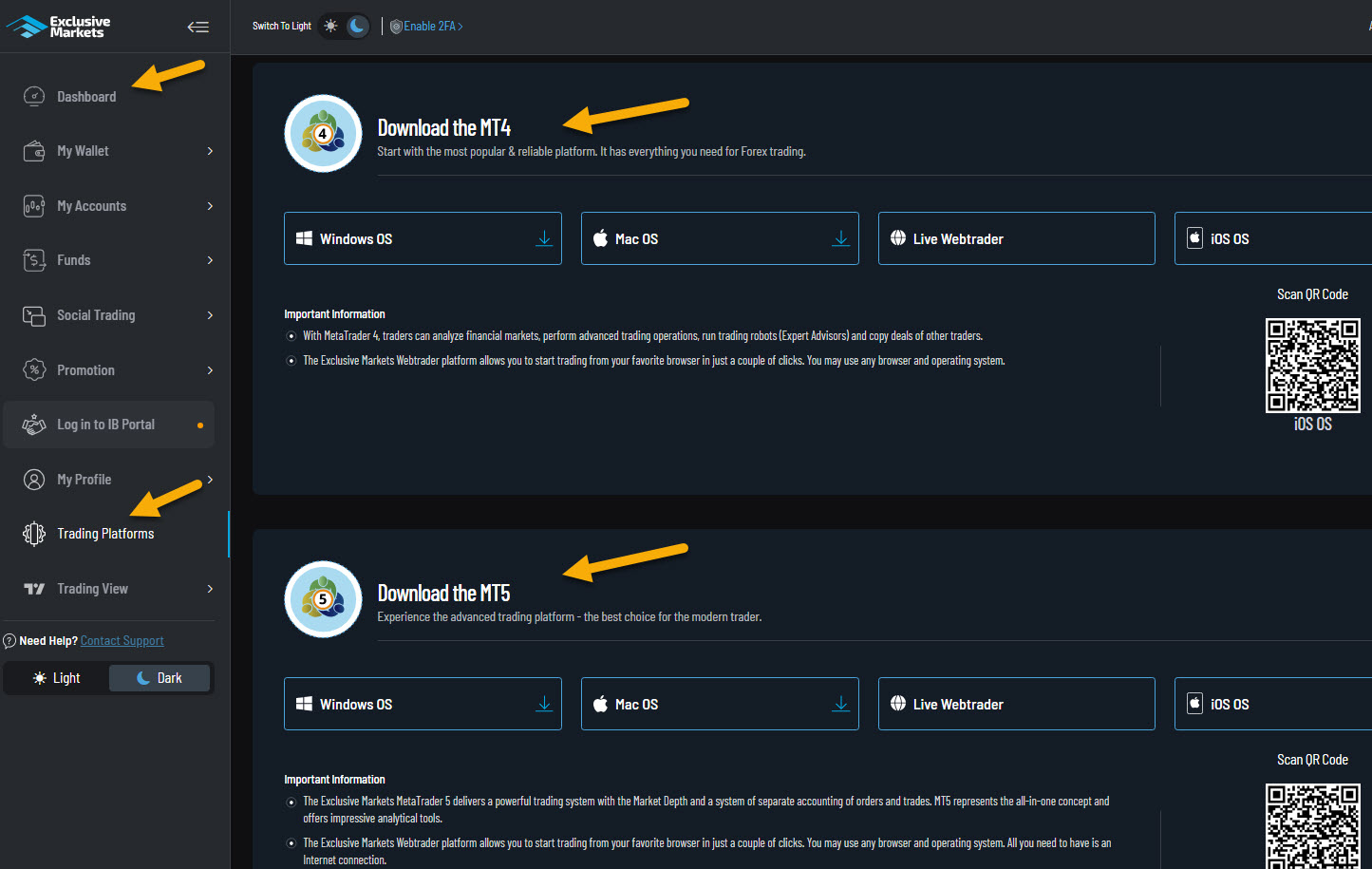
You will be able to see all your account activity
